
Illustrative example
The feedback tab
A tab on the left of every screen. People type or talk, and the draft is never lost.
- Voice notes up to 3 minutes, transcribed
- Invitation questionnaires in your product's skin
- Spanish, English and Portuguese
Everything is feedback
What they tell you, what they do and what they stop doing, in one place, and a note to each person when their issue is fixed.
No lock-in. Data on our own servers in the EU.


Who it's for
You answer every person yourself. When there are hundreds, it should still sound like you.
No user research team needed: feedback and signals land on the same record.
Sign-ups, payments and cancellations from the App Store and Google Play arrive on their own, with the store's signature checked.
Plans count products, not seats, and each product has its own page in the dashboard.
The problem
A feedback widget, a session recorder, analytics, Stripe and the app stores, an error tracker and email. Each one sees a piece; nobody sees the person.
«It doesn't work» doesn't say who wrote it, which screen they were on or what happened before.
People who pay and never log in, who stopped using it or whose payment failed don't write: they leave.
The bug gets fixed and the person who reported it never hears. Next time, they don't bother.
Automated sequences are recognised in the first line and archived unread.
Today
With FeedbackSuite
Ana Ruiz
Growth plan · customer since June
Illustrative example, sample data
How it works
Each step works on its own. Start with the first one and add the rest whenever you want.
The script adds the feedback tab to your screens. About 5 minutes.
They type, leave a voice note or talk while pointing at the screen.
Sign-ups, usage, payments, errors and cancellations, from your server, Stripe or the stores.
Each person's feedback, journey and payments, on desktop and on mobile.
Once the fix is live, an email in your voice. Only if you approve the text.
Three ways to listen
Every piece of feedback arrives with its context: who it is, which screen they were on and what happened before.
A tab on the left of every screen. People type or talk, and the draft is never lost.
People talk and point at what they see with a box, circle, arrow or text. You see it later on the same page, with the audio of each mark.
Sign-ups, usage, payments, errors and cancellations arrive on their own from your server, Stripe and the app stores.
The closed loop
The step almost nobody takes is the last one: going back to the person. FeedbackSuite has it ready.
An error, a comment or a drop in usage lands on the person's record, with the screen and the moment.
It becomes a task with the evidence: who it happened to, on which screen and how to reproduce it. Your team fixes and ships it.
Once the fix is really live, an email in your voice tells them. Only if you approve the text.
From: you, the founder
To: Ana
The export problem you ran into is fixed
Ana, the export problem you ran into is fixed. Thanks for telling us: without your voice note we wouldn't have seen it.
Emails in the founder's voice
The emails people actually read come from a person. FeedbackSuite drafts them at the right moment and you approve them.
Who you are, why you built the product and how to reach you directly.
When someone finds their rhythm: one short question about what's missing.
No pressure, no discounts: ask what happened and listen.
Thanks for their time, what didn't work and an open door to come back.
Nothing goes out without your approval of the text. No template, no automatic send behind your back.
An AI that reads every session
When someone gives feedback on the screen, an agent reads what they said, what they wrote and their marks, places it in your product's code and leaves one card per request on your board. It doesn't touch the code: it proposes.
«On my phone I can't find where to export the report» (minute 0:41). The person circled the top bar of Reports.
The dashboard
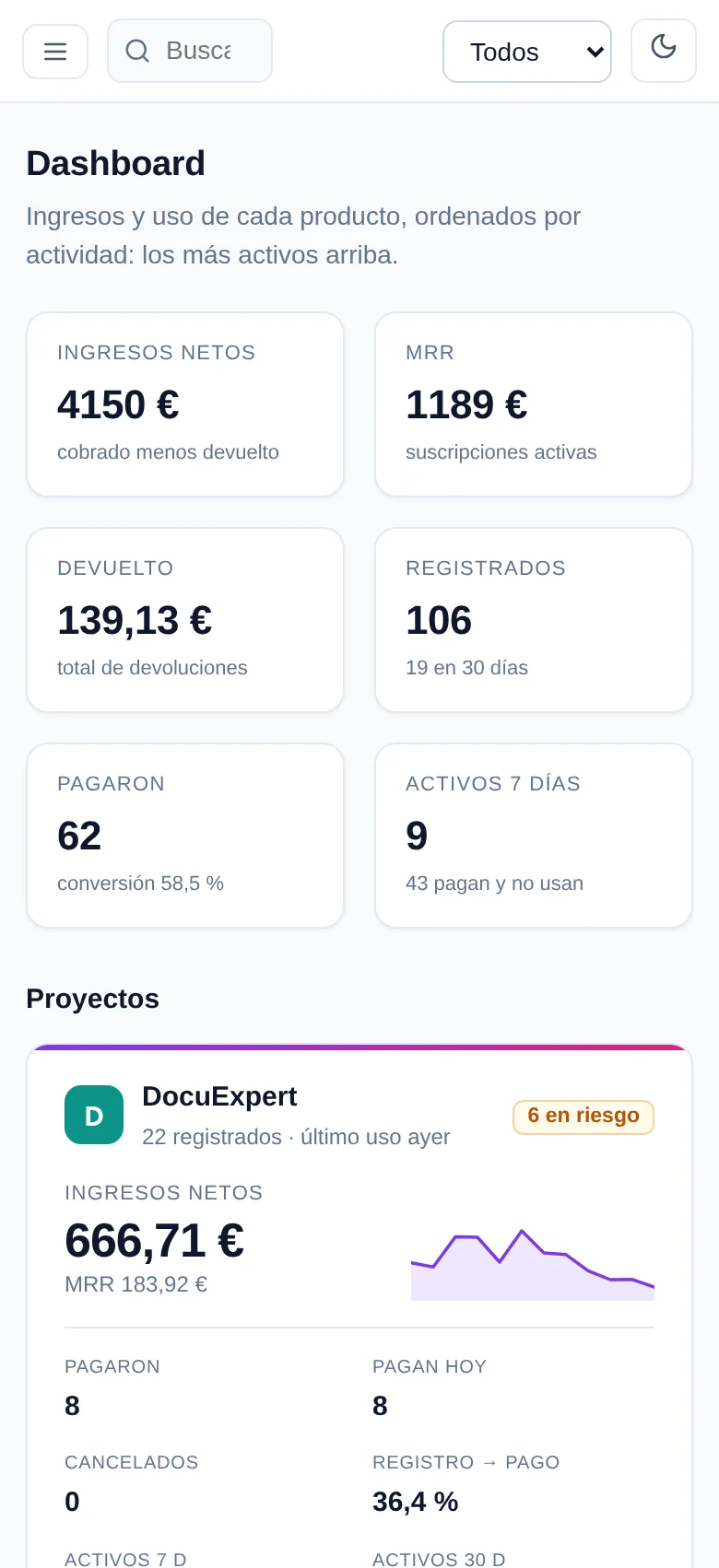
Revenue, usage and risk per product, and each person's record with their journey, payments and what they told you. On desktop and on mobile.
Part of the Codelabs family
FeedbackSuite started as Codelabs Studio's in-house feedback system. What we offer you is what we use every day.
More than ten Codelabs products carry this feedback tab today, on the same engine you will get.
If you have an AgenteUno chat assistant, the same script line loads it on your site next to the tab.
Every piece of feedback and every signal lands on the person's record in the CRM, in a space that is only yours.
The same FOUNDER, PIONEER, PARTNER and CUSTOMER terms as every other product in the family.
One line to integrate
Paste the script and the tab appears. Each level works on its own; the next ones add what users don't say.
<script src="https://feedback.codelabs.studio/embed/v1.js" data-key="fs_pk_…" async></script>Feedback tab, assistant if you turn it on, and analytics only with consent. About 5 minutes.
Sign-ups, usage, errors, payments and cancellations from your server, Stripe or the app stores. An afternoon.
Errors per person, email replies on their record and an assistant trained on your website.
Privacy
The rules live in the code, not only in the policy.
Screen recordings hide all text and every field. Nothing you have to remember to hide.
Data lives on our own servers in the European Union, not in a third-party cloud.
The FeedbackSuite engine transcribes voice notes on our own server, without sending the audio to another company. The browser's live dictation is optional and the tab says so.
What each person leaves is only readable by your product's administrators.
Pricing
Every plan includes the tab, on-screen feedback, founder emails, the AI and unlimited seats.
€39/month
€46.80/month billed monthly
Billed annually: €468/year. VAT not included.
€99/month
€118.80/month billed monthly
Billed annually: €1,188/year. VAT not included.
€249/month
€298.80/month billed monthly
Billed annually: €2,988/year. VAT not included.
PIONEER programme: 50% off for 12 months for anyone who joins by 31 March 2027. No lock-in: leave whenever you want.
Founder programme
Four ways to be close to FeedbackSuite, the same in every Codelabs product.
Works with us closely: tests, gives feedback and has a direct line. By invitation.
A paying client who joins the launch offer, until 31 March 2027.
Anyone who helps us grow by recommending FeedbackSuite.
Uses FeedbackSuite on the plan that fits.
Tell us what you build. A person answers, not an automation.
FAQ
For founders and small software teams who want to listen to their users without stitching five tools together: feedback, recordings, usage analytics, emails and follow-up, in one place.
The first level is one script line and about 5 minutes. The server watchers, which bring sign-ups, payments and cancellations, usually take an afternoon.
Only when someone chooses to give feedback on the screen, and with all text masked by default. Usage analytics only start with their consent.
On Codelabs Studio's own servers in the European Union. The engine transcribes voice notes on our own server, without sending the audio to third parties; only live dictation, if the person uses it, goes through their browser's speech recognition, and the tab says so.
No. The AI drafts emails and proposals; no email reaches a person until the founder has approved the text.
No. Plans have no minimum term, and VAT is charged on top because we sell to companies.
Yes. Below 768 px the tab becomes a round button at the bottom left so it doesn't cover your content, and the dashboard works the same on a phone.
A way to build FeedbackSuite with the people who use it: a free account while you collaborate and give feedback, and a commission on the people you bring. It is by invitation; the form on this page is the first step.
Write to us through the founder form. We set you up, give you your keys (a public one for your site and a secret one for your server) and, for the first level, pasting one line is enough.
Yes. FeedbackSuite started as the feedback system of Codelabs Studio's products, and more than ten of them carry this same tab today.
Contact
A question, an integration or an idea. A person from the team answers.